Early access · launching for Windows, macOS and Linux
Your weekly file, cleaned before you open it.
Rote Assistant installs on your computer and runs the cleaning jobs you save — on a schedule, or the moment a new file lands in a folder. It works on your own files, offline, and stops to ask rather than guess when something changes.
- Installs on your computerA desktop app for Windows, macOS and Linux. Your files stay on your disk; nothing is uploaded.
- Runs on a scheduleDaily, weekly or monthly at the time you choose. It keeps working from the system tray.
- Watches a folderDrop next week's export into a folder and the job runs on it, as soon as the file has finished copying.
- Never guessesIf a column is renamed or missing, the run stops before writing anything and tells you what changed.
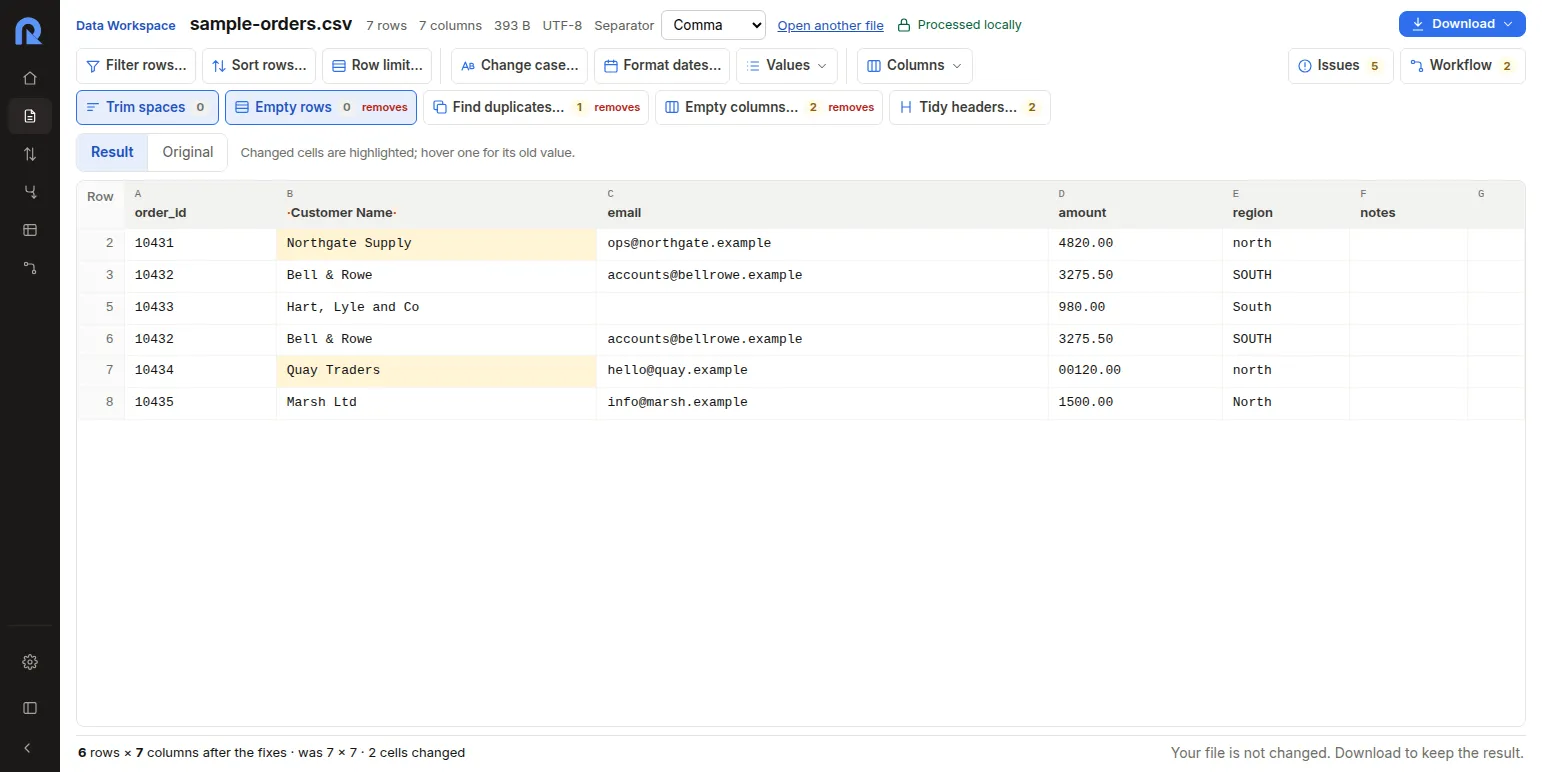
Automation
Set it up once. It runs without you.
A job is the steps you took, saved. Rote Assistant decides when to run it and which file to run it on.
- Daily, weekly or monthlyPick the days and the time. Local time, so daylight saving never shifts a run.
- When a file arrives or changesWatch a folder: a new or updated file that matches the name you set starts the job, once it has finished copying.
- The newest file, every timePoint a job at a folder and a name rule like sales_*.csv, and it reads the latest match — or every match, combined.
- Catches up after downtimeA run missed while the computer was off happens once when it is back — not once for every day it missed.
- Starts with your computerOptionally start at login and keep running from the notification area with the window closed.
- Tells you how it wentA notification when an unattended run finishes, and a full history: every stage, its timing, rows in and rows out.
Safety
Built to run unattended — and to stop when it should.
Automation is only useful if you can trust it with next week's file. Rote Assistant checks before it acts.
- Stops on column changesBefore a run writes anything, it checks the columns its steps need. Renamed or missing? It stops and names the column.
- Learns a renamed columnTell it once that “Client” is the new “Customer” and every future run uses it.
- Remembers your answersA value it cannot process stops the run and shows the row. Skip it, keep it or sort it last — and that answer is remembered.
- Never deletes a fileArchiving an input moves it, never deletes it, and an interrupted run leaves no half-written output behind.
Everything in the toolbox
More than the browser can do.
Every step from Rote Workspace, and the ones a recurring report really needs.
Transform
- Formulas with exact decimals
- Lookups from another file
- Group & summarise
- Split and combine columns
- Standardise dates
- Read numbers
- Filter, sort, dedupe
Files
- CSV and Excel (.xlsx) in
- CSV, Excel, JSON, XML or HTML out
- Compare two files by key
- Combine every file in a folder
- Export each file separately
- {date} in output names
Scale
- No file-size cap — your computer's memory is the limit
- Tested with 1 million rows
- Exact, repeatable results
- No AI, no guessing
Private by design
Your files never leave your computer.
Rote Assistant is a desktop application. It reads files from your disk, works on them there and writes results where you tell it to.
- Works offlineNo connection needed to clean, schedule or run a job.
- Nothing is uploadedNo server ever sees your data, because no server is involved.
- No account to run a jobOpen it and work. Your jobs and their history live on your computer.
Rote Workspace or Rote Assistant?
Rote Workspace is free in your browser today: clean a file, save the steps, run them on next week's file. Rote Assistant, which runs the job by itself, comes later.
| Rote Workspace | Rote Assistant | |
|---|---|---|
| Where it runs | In your browser | Installed on Windows, macOS, Linux |
| Clean, dedupe, compare, merge | Yes | Yes |
| Excel (.xlsx) files | Read, one sheet at a time | Read and write |
| Reusable steps | Workflows you run by hand | Jobs that run by themselves |
| Schedules and watched folders | — | Yes |
| Formulas, lookups, group & summarise | — | Yes |
| Run history and notifications | — | Yes |
| File size | Up to 50 MB | No cap — tested with 1M rows |
| Availability | Free, today | Launching soon |
What people ask first
When can I get it?
Rote Assistant is launching soon for Windows, macOS and Linux. Get early access and we'll email you the moment your build is ready — nothing else.
Does it need the internet?
No. Cleaning, scheduling and running jobs all work offline, on files on your own computer.
Does a schedule run when the window is closed?
Yes, while Rote Assistant is in the notification area (system tray). You can have it start at login so it is always there.
Can it run every hour?
Not yet. Schedules are daily, weekly or monthly, plus a watched folder that checks for new files about every 30 seconds.
What does it cost?
Pricing will be announced at launch. Getting early access is free and does not commit you to anything.
Be first to put your weekly file on autopilot.
Get early access and we'll email you the moment Rote Assistant is ready for your computer. Until then, Rote Workspace is free in your browser.
No sign-up · No credit card · Nothing to install