RoteRun
Free · No sign-up · No credit card
Clean your data once. Repeat it in one click.
Rote Workspace fixes the CSV and Excel files you get every week — stray spaces, blank rows, duplicates, dates, columns — right in your browser. Save the steps, and next week's file takes one click.
No sign-up · No credit card · Nothing to install
A short tour of Rote Workspace in a browser: a sample order file opens in the Data Workspace; the Issues panel lists the problems found; Trim spaces and Empty rows are switched on and the changed cells are highlighted; Change case turns a region column into Title Case; Find duplicates removes a repeated row; Tidy headers renames the columns; the Original tab shows what was removed; the Workflow panel lists every step; the Download menu offers the cleaned CSV.
Free in your browser
Three tools, ready the moment the page opens.
Open a CSV or an Excel workbook and start — nothing to install, nothing to sign up for.
Also in Rote Workspace
- Merge 2–3 files into one
- Excel to CSV
- Filter, sort, split and combine columns
- Format dates and read numbers
- Reusable workflows
- Files up to 50 MB
How it works
Open. Fix. Repeat.
- 01Open a file or a sampleDrop a CSV or an Excel workbook into Rote Workspace, or try the sample file first. The problems in it are listed for you.
- 02Fix it, with a previewPick the fixes you want. Changed cells are highlighted, removed rows are shown, and nothing is final until you download.
- 03Save the steps, reuse themDownload a clean file — your original is never changed. Save the steps as a workflow and run them on next week's file.
The main feature
Fix a file once. Every week after, the workflow does it.
Every fix you make in Rote Workspace becomes a step. Save the steps as a workflow and run them on next week's export: the same fixes, without doing them again by hand. Here is one workflow on three weeks of files.
- Week 1
Fix it once
- Step 1Trim spaces2 cells changed
- Step 2Change case3 cells changed
- Step 3Format dates4 cells changed
- Step 4Remove empty rows1 row removed
- Step 5Remove duplicates (your rule)1 row removed
- Week 2
Run it again
Workflow check: all 5 of this workflow's steps can run on this file.
- Changes made
- 13
- Changes made by hand
- 0
- Week 3
Told when the columns change
Workflow check: step 5 (Remove duplicates (your rule)) cannot run on this file.
Column "email" is not in this file. Did you mean "EMAIL"? It differs only in capitals or spaces, so it is not used unless the workflow names it.
Workflow templates
Start from a ready-made workflow.
Download one, open your file in Rote Workspace and import it: every column it needs is checked before anything changes.
- Shopify
Shopify product import cleanup
- Remove empty rows
- Trim spaces
- Change case
- Find & replace
- Remove characters
- Remove repeated rows
Needs
HandleVariant Price - QuickBooks Online
Bank CSV to QuickBooks Online
- Remove empty rows
- Trim spaces
- Remove characters
- Format dates
Needs
DateAmount - PayPal
PayPal activity to QuickBooks Online
- Keep matching rows
- Read as numbers
- Format dates
- Rename columns
- Column order
Needs
DateNameStatusNet Email list cleanup
- Remove empty rows
- Trim spaces
- lower-case "Email"
- Title-case "First Name", "Last Name"
- Keep matching rows
- Remove duplicates (your rule)
Needs
First NameLast NameEmail- Google Forms
Google Forms: one response per email
- Trim spaces
- Change case
- Remove duplicates (your rule)
Needs
Email Address Duplicate and blank cleanup (any file)
- Trim spaces
- Remove empty rows
- Remove empty columns
- Remove repeated rows
Runs on any file
Privacy by design
Your files never leave your device.
Rote Workspace reads and processes the files you choose inside your own browser. There is no upload step, so there is no copy of your data anywhere else.
- Processed in your browserThe file is read and cleaned on your own computer, by your browser. That is how the tool is built, not just a policy.
- Nothing is uploadedFile contents, file names and cell values are never sent to our servers — there is no server step to send them to.
- No account, no sign-upNo email, no password, no credit card. Open the page and use it; close the tab and the file is gone from the page.
- Your original stays untouchedResults are new downloads. The file you opened is never written to, and saved workflows hold steps, never data.
Opening the site still loads its pages and fonts, and we count visits and a few anonymous events — such as “a result was downloaded” — never file names or contents. How we handle data →
Video tutorial
Watch a messy CSV file get cleaned, step by step
Under four minutes, using a sample file you can download and follow along with.
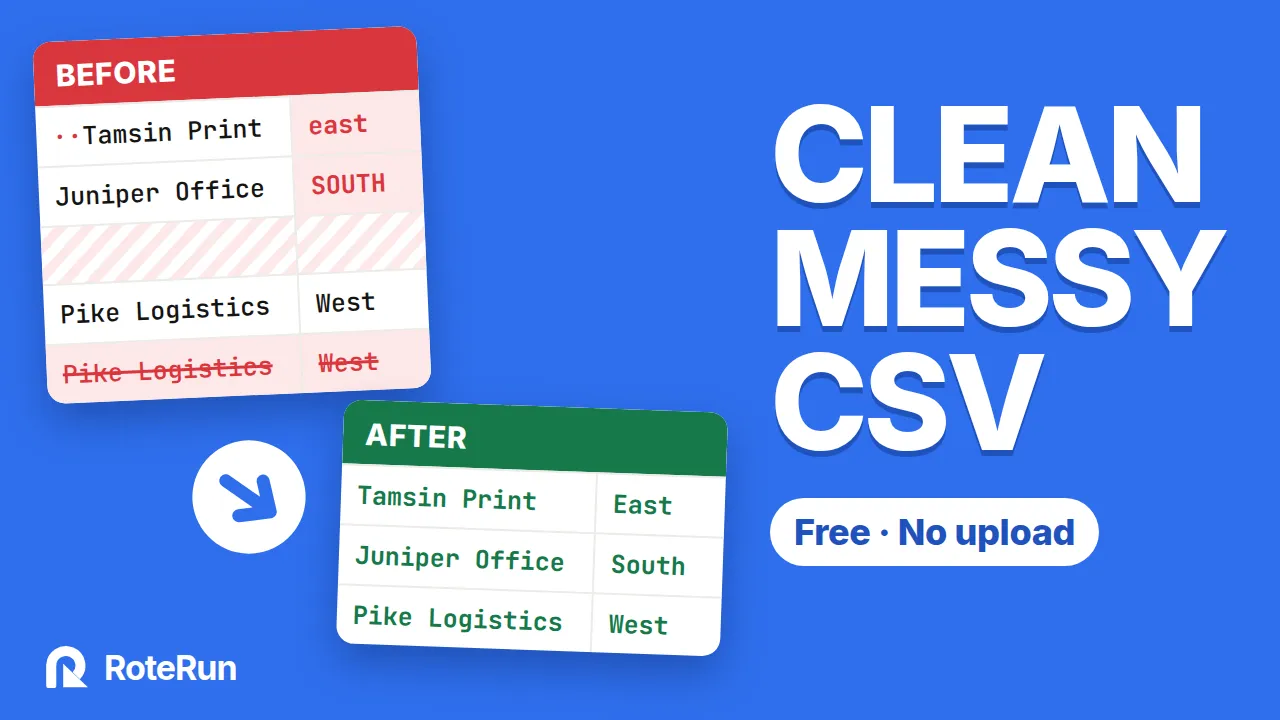
How to clean a messy CSV file online (free, no upload)
Rote Assistant · desktop app
Let your weekly file clean itself.
Rote Assistant installs on your computer and runs your saved jobs for you — on a schedule, or as soon as a new file lands in a folder. It stops and tells you when something changes, instead of guessing.
- Installs on your computerA desktop app for Windows, macOS and Linux. Your files stay on your disk; nothing is uploaded.
- Runs on a scheduleDaily, weekly or monthly at the time you choose. It keeps working from the system tray.
- Watches a folderDrop next week's export into a folder and the job runs on it, as soon as the file has finished copying.
- Never guessesIf a column is renamed or missing, the run stops before writing anything and tells you what changed.
- Catches up after downtimeA run missed while the computer was off happens once when it is back — not once for every day it missed.
- Tells you how it wentA notification when an unattended run finishes, and a full history: every stage, its timing, rows in and rows out.
Launching soon for Windows, macOS and Linux. Get early access and we'll email you the moment it's ready.
For example
Four problems every hand-made export has.
Trailing spaces you cannot see, a blank row, the same order twice, and a column named for a database rather than a person. Here is that file, and the same file after a workflow runs.
Before
| order_id | cust_name· | amount |
|---|---|---|
| 10431 | ··Northgate Supply· | 4820.00 |
| 10432 | Bell & Rowe | 3275.50 |
| — | — | — |
| 10432 | Bell & Rowe | 3275.50 |
- 1Trim spacesEvery column
- 2Remove empty rowsAll columns blank
- 3Find duplicatesWhole row must match
- 4Tidy headerscust_name → Customer
Open next week's file, run this workflow, and the same four steps run again.
After
| Order ID | Customer | Amount |
|---|---|---|
| 10431 | Northgate Supply | 4820.00 |
| 10432 | Bell & Rowe | 3275.50 |
· marks a space you would not otherwise see. The red row is blank in every column. Nothing here is edited by hand — it is the four steps below, run in order.
The value
Stop repeating the same work.
If you clean, compare or transform the same kind of spreadsheet every week, you should not have to build the process again from scratch each time.
- Save timeDo the setup once. Run the same steps on the next file instead of starting over.
- Reduce manual errorsA saved workflow runs the same steps in the same order, which reduces the small mistakes that creep into repetitive manual work.
- Get productive work doneSpend less time preparing data and more time using it.
Example
10 min × 20 files a month=3h 20m
That is three hours and twenty minutes of repetitive work in a month — in this example, not a figure measured by RoteRun. Save the steps as a workflow and the next file is a matter of running it.
Do it once. Reuse it on every file after that.
What it does
Clean, merge, compare — and repeat.
Everything here works today in Rote Workspace, free in your browser. Each page shows what the tool does in detail.
FAQ
Questions, answered
The short version: free, private, nothing to install. Here is the longer one.
Is Rote Workspace free?
Yes. Rote Workspace is free to use, with no sign-up and no credit card. Rote Assistant's pricing will be announced at launch.
Do I need an account?
No. There is no account and no sign-in. Workflows you save are kept in your own browser.
Are my files uploaded?
No. Rote Workspace processes your selected files locally in your browser, and file contents are not uploaded to our servers for processing. The website still loads its pages and counts anonymous visits, as the privacy page explains.
Which file formats are supported?
CSV, TSV and other delimited text files up to 50 MB, in UTF-8, UTF-16 or Windows-1252, and Excel .xlsx workbooks up to 10 MB, one sheet at a time.
Can I reuse my steps on next week's file?
Yes. Every fix you make becomes a step. Save the steps as a workflow in your browser or download it as a small file, then open next week's file and run it. Rote Workspace checks first that the columns the steps need are still there.
Will it change my original file?
No. Every change is previewed, and the result is a new file you download. The file you opened is never written to.
What is Rote Assistant?
The desktop application for Windows, macOS and Linux. It works with files on your computer and runs your saved jobs by hand, on a schedule or when a file lands in a folder. It is launching soon — get early access to hear the moment it's ready.
Start cleaning in the next ten seconds.
Open Rote Workspace and try it on the sample file, or on your own. No sign-up, no credit card.
Rote Workspace
Free in your browser, today.
Open Rote Workspace — freeNo sign-up · No credit card · Nothing to install
Rote AssistantLaunching soon
Your jobs on autopilot, on your desktop.
Get early accessExplore Rote Assistant →